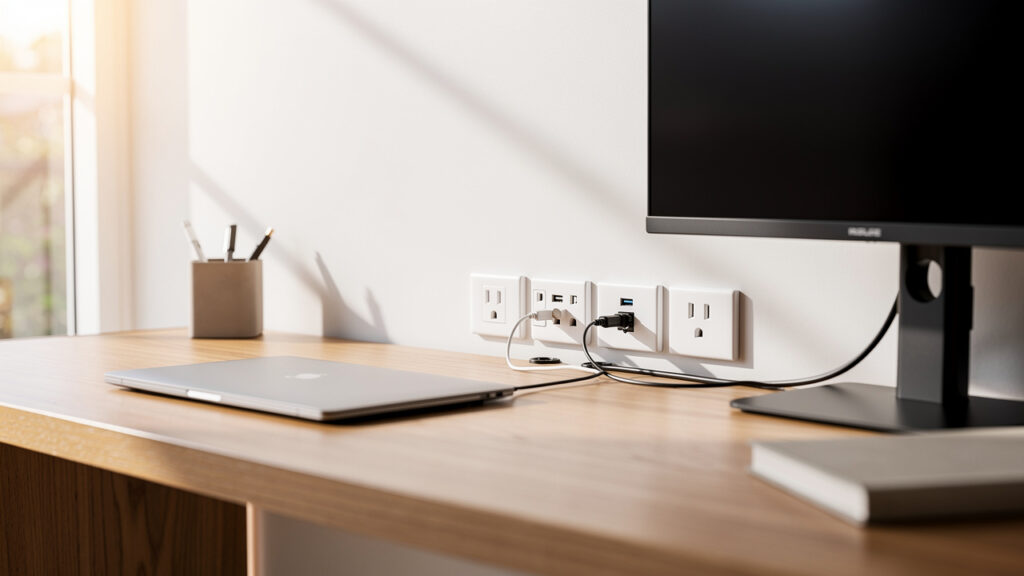
Planning home office power point installation is one of the smartest ways to create a safer, cleaner and more productive workspace. For most modern Sunshine Coast home offices, a quad power point, USB-C charging outlets and a hardwired data point can reduce clutter, improve reliability and help avoid overloaded power boards or messy extension cords.
Key Takeaways
-
Modern home offices need more than standard outlets; plan for quad GPOs and USB-C ports.
-
Hardwired data points ensure reliable internet, which is essential for remote work.
-
Older homes on the Sunshine Coast may require switchboard upgrades for safety and capacity.
-
Overloading power points is a significant fire risk and should be avoided.
-
Always use licensed electricians for compliant and safe installations.
Jump to section
- How Many Power Points Does a Modern Home Office Truly Need?
- What Are the Essential Power Point Solutions for a Modern Workspace?
- How Can Strategic Placement and Future-Proofing Optimise Your Home Office?
- Why Is Electrical Safety Critical for Your Home Office on the Sunshine Coast?
- What Are the Advantages of Professional Home Office Electrical Planning?
- Sunshine Coast Projects & Electrical: Your Local Partner for Office Upgrades
- Power Up Your Productivity Zone
- Frequently Asked Questions
How Many Power Points Does a Modern Home Office Truly Need?
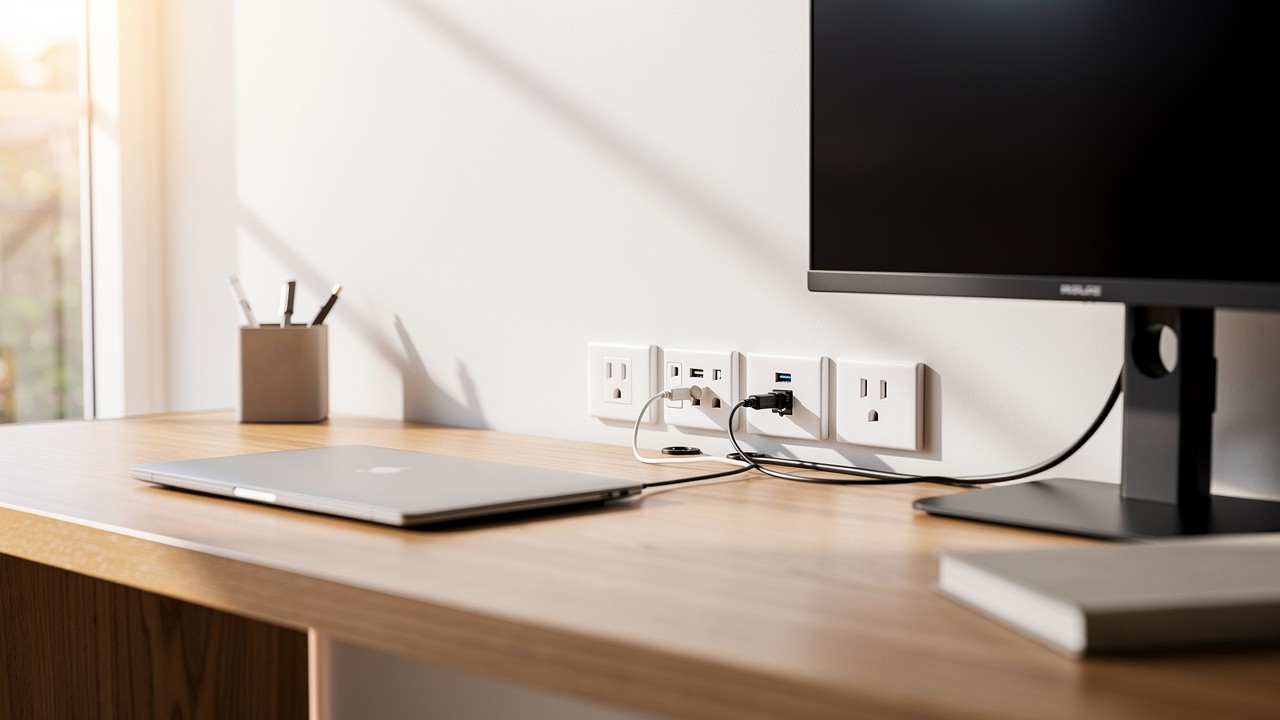
A modern home office needs a carefully planned electrical setup to function safely and efficiently. While every setup differs, a bare minimum recommendation for a primary desk area is a single quad power point (four sockets) combined with a hardwired data point. This configuration immediately reduces reliance on risky power boards and provides a stable internet connection. A standard double power point, common in most spare rooms, is simply not enough for today’s technology-heavy work environment.
Thinking beyond the desk is also important. You may need additional outlets for printers, shredders, or networking equipment located elsewhere in the room. A comprehensive electrical plan considers not just what you use today, but what you might need tomorrow. Planning for sufficient home office power points from the start prevents the safety hazards and frustrations that come with an under-resourced workspace. The goal is to create a seamless environment where you never have to choose between charging your phone and running your printer.
What Equipment Powers Your Productivity Zone?
To determine your specific needs for power points for a home office, you should list every piece of equipment that requires electricity. The total number can be surprisingly high once you account for every device that keeps your workspace running smoothly. A typical inventory includes a wide range of essential tools.
-
Computer & Monitors: A desktop PC or laptop power supply is a given, but many professionals now use two or even three external monitors. Each of these devices requires its own dedicated power socket for optimal performance.
-
Printers & Scanners: All-in-one printers and dedicated scanners are common in home offices. They need a stable and easily accessible power source, even if they are only used intermittently.
-
Charging Stations: Your desk is the central hub for charging personal technology. Smartphones, tablets, smartwatches, and wireless headphones all need power, with many newer devices benefiting from high-speed USB-C charging ports.
-
Connectivity Devices: Your internet connection relies on powered devices. Modems, NBN connection boxes, routers, and network switches all consume electricity and need a permanent home.
-
Comfort & Lighting: The modern office includes ergonomic equipment. Adjustable standing desks have electric motors, and quality task lighting is essential for reducing eye strain, both adding to the electrical load.
-
Air Conditioning: A split-system air conditioning unit is a must-have on the Sunshine Coast. These units draw a significant amount of power and legally require their own dedicated power circuit installed by a qualified electrician.
What Are the Essential Power Point Solutions for a Modern Workspace?
The essential power point solutions for a modern workspace focus on providing sufficient capacity, decluttering your desk, and ensuring a stable connection. Moving beyond the standard double outlet is the first step. Upgrading to multi-socket installations like double or quad General Purpose Outlets (GPOs) is fundamental. This change immediately eliminates the need for hazardous, dust-collecting power boards behind your desk.
For true efficiency, integrating modern technology directly into the wall is key. Power points with built-in USB-A and USB-C charging ports offer incredible convenience and help maintain a tidy, organised environment. Just as important is your internet connection. While Wi-Fi is convenient, a hardwired data point providing a physical Ethernet connection offers unmatched speed and reliability, which is a necessity for any professional working from home. These upgrades change a simple room into a high-performance workspace.
Integrated USB-A and USB-C Power Points for Decluttering
Integrated USB power points are one of the most effective upgrades for a modern home office electrical setup. These innovative outlets replace a standard power point with sockets that include built-in USB-A and the more powerful USB-C ports. This allows you to charge devices like your phone, tablet, or wireless headphones directly from the wall, freeing up your standard sockets for other equipment. It completely removes the need for bulky adapters and charging bricks, which are a major source of desk clutter.
As technology advances, USB-C is becoming the universal standard for faster charging and data transfer, capable of powering everything from smartphones to laptops. Installing USB power points home office outlets is a smart way to future-proof your workspace, ensuring it can handle the next generation of devices without needing another adapter. At Sunshine Coast Projects & Electrical, we regularly install these outlets to help our clients create cleaner, more organised, and highly functional desk environments. A tidy workspace is a productive workspace.
Why Hardwired Data Points Are a Game-Changer for Remote Work
A hardwired data point is a game-changer for anyone working remotely on the Sunshine Coast. While Wi-Fi is great for casual browsing, it is susceptible to signal dropouts and interference from thick walls, neighbouring networks, or even home appliances. This can lead to frozen video calls and frustrating delays when transferring large files, which is simply unacceptable in a professional setting. A dedicated data point, which is an Ethernet socket on your wall, bypasses these issues entirely by creating a direct physical connection to your modem.
This direct line guarantees the fastest and most stable internet connection your plan can provide. It is essential for uninterrupted video conferencing, lag-free access to cloud servers, and rapid downloads. Security is also improved, as a physical connection is inherently more secure than a wireless one.
“A hardwired data point is a game-changer for a home office. It guarantees a stable connection for video conferencing, which Wi-Fi can’t always promise.” — Charlie Doblo, Accredited Master Electrician
At Sunshine Coast Projects & Electrical, our residential electricians can run discreet data cabling through your walls and ceiling, installing a professional data point exactly where you need it for maximum reliability.
How Can Strategic Placement and Future-Proofing Optimise Your Home Office?
Strategic placement and future-proofing are how you can optimise your home office to be both functional today and ready for tomorrow. Simply adding more outlets is not enough; where you place them is just as important. Well-placed home office electrical outlets eliminate the need to crawl under your desk to plug in a laptop and prevent cords from trailing across walkways, which is a major trip hazard. Consider installing a quad power point just above desk height for easy access to power for your most-used devices like monitors and chargers.
Future-proofing involves anticipating your needs, and major regional infrastructure developments like the Sunshine Coast Mass Transit Project signal a growing population of remote workers who will depend on high-performance home offices for years to come. You might only have one monitor now, but will you add a second one next year? Will you need a dedicated outlet for a high-powered shredder or a 3D printer? Installing more power points than you currently need during a renovation is far more cost-effective than calling an electrician back to cut into finished walls later. Thinking ahead ensures your home office can grow with your career without requiring a major electrical overhaul.
Creating Your Home Office Electrical Planning Checklist
To properly plan your home office electrical setup, a practical checklist is your best tool. It helps you account for every device and ensures you don’t overlook any power requirements. Use this list to map out your needs before consulting with an electrician Sunshine Coast.
-
Desk Equipment: Tally every item on your desk. This includes the PC tower, laptop, monitors, speakers, phone and tablet chargers, and peripherals like printers or scanners.
-
Lighting: Account for dedicated task lighting, such as a desk lamp, in addition to the main overhead room lighting.
-
Comfort: If you use an electric standing desk, a portable heater or fan, or have a split-system air conditioning unit, add them to the list. The air conditioner will need its own circuit.
-
Connectivity: Your modem, router, and any network switches require constant power, so plan a dedicated spot for them.
-
Cable Management: Think about how you will hide cords. Planning for in-wall conduit or surface-mounted trunking from the start results in a much cleaner finish.
-
Surge Protection: Sensitive electronics are expensive. Decide whether you will use a high-quality surge protector power board or install dedicated surge protection outlets.
-
Future Upgrades: Consider what you might add in the next few years. A second computer, a new gaming console, or smart home devices could all require additional power points.
Why Is Electrical Safety Critical for Your Home Office on the Sunshine Coast?
Electrical safety is of the utmost importance for your home office on the Sunshine Coast because an inadequate setup poses serious risks. When you concentrate a huge amount of power-hungry technology into one room, you place a significant strain on your home’s electrical system. Overloading power points and circuits by daisy-chaining power boards is a common mistake that can lead to overheating, creating a severe fire hazard within your walls.
For residents in older Sunshine Coast properties, this risk is magnified. Many homes built decades ago have outdated switchboards with ceramic fuses that were never designed to handle the electrical load of a modern home office. These systems lack the modern safety features required to protect you and your expensive equipment. Ensuring your workspace is powered by a compliant, professionally installed electrical system is not just about convenience; it is a fundamental part of keeping your family and property safe.
The Dangers of Overloaded Power Boards and Circuits
Overloading power boards and circuits is one of the most common and dangerous electrical mistakes in a home office. Each power point is connected to a circuit that is designed to handle a maximum amount of electrical current. When you plug too many high-draw devices into a single outlet using a power board, you can easily exceed this limit. This forces an excessive amount of current through the wiring.
This overload causes the wiring inside your walls and the power point itself to dangerously overheat, which can melt the plastic components and spark a fire. In a modern home, this should cause the circuit breaker to trip, cutting the power as a safety measure. If your breakers trip constantly, it is a clear warning sign your circuits are overloaded. Worse still, this overloading can also cause power surges that permanently damage the sensitive electronics in your computer, monitors, and other expensive office equipment.
Why Older Homes Need Switchboard Upgrades for Modern Offices
Older homes on the Sunshine Coast often require switchboard upgrades to safely accommodate a modern home office. Many properties, particularly charming older Queenslanders, were built with electrical systems designed for a few lights and basic appliances, not for multiple computers, air conditioners, and charging stations running simultaneously — a challenge well-documented in research on the green energy and decarbonisation transition of the built environment. These outdated systems may still rely on ceramic fuses, which offer minimal protection compared to modern standards.
A modern office significantly increases the home’s total electrical load, which an old switchboard may not have the capacity to handle. A switchboard upgrade involves replacing old fuses with modern circuit breakers and, most importantly, installing Residual Current Devices (RCDs), also known as safety switches. An RCD is a life-saving device that cuts power in a fraction of a second if it detects a fault, drastically reducing the risk of electric shock. At Sunshine Coast Projects & Electrical, we perform comprehensive switchboard upgrades to ensure your home office is powered by a dedicated, safe, and compliant circuit.
What Are the Advantages of Professional Home Office Electrical Planning?
The advantages of professional home office electrical planning extend far beyond just adding a few extra sockets. Engaging a licensed electrician guarantees that every aspect of the installation is safe and fully compliant with strict Australian Standards. Professionals understand how to calculate electrical loads, ensure circuits are not overloaded, and correctly install safety switches, which is knowledge that prevents dangerous DIY mistakes. This professional oversight is essential for protecting your property and family from electrical hazards.
Expert planning also delivers a more efficient and future-proofed workspace. An experienced electrician from a company like Sunshine Coast Projects & Electrical can offer advice on the best placement for outlets, suggest modern solutions like USB-C ports, and ensure your setup can accommodate future technology. This thoughtful approach saves you money in the long run by avoiding the need for costly rework down the line. It changes your office into a space that is not only powerful but also perfectly suited to your workflow.
The Risks of DIY Electrical Work in Queensland
Attempting DIY electrical work in Queensland is not just risky; it is strictly illegal and carries severe consequences. Queensland’s electrical safety laws mandate that only a licensed electrical contractor can legally perform any work on fixed wiring in a home or business. This legislation exists to prevent the serious dangers associated with amateur installations. The risk of causing a fatal electric shock or starting a house fire due to improper wiring is incredibly high for someone without years of technical training.
Beyond the immediate safety hazards, there are significant financial repercussions. If a fire or other damage is caused by unlicensed electrical work, your home insurance policy will almost certainly be voided. This leaves you personally liable for the full cost of repairs, which can be financially devastating. Only a licensed electrician can provide a Certificate of Compliance (COC), which is your legal proof that the work has been tested, meets all Australian Standards, and is safe.
Sunshine Coast Projects & Electrical: Your Local Partner for Office Upgrades
When you need to upgrade your home office, Sunshine Coast Projects & Electrical is your local partner for creating a safe, efficient, and future-proof workspace. We provide custom electrical solutions designed specifically for the demands of a modern home office on the Sunshine Coast. From installing quad power points and integrated USB-C outlets to running dedicated hardwired data points for flawless internet, we cover every aspect of your home office fitout electrician needs.
Our approach is built on transparent pricing, clear communication, and an unwavering commitment to safety and compliance. We understand that every home office is different, so we work with you to design a plan that suits your specific equipment and workflow. With our guaranteed quality workmanship and deep local expertise, you can have complete confidence that your productivity zone is in the safest hands. We ensure your electrical system not only meets today’s needs but is ready for the challenges of tomorrow.
Why Locals Trust Sunshine Coast Projects & Electrical
Locals across the region trust Sunshine Coast Projects & Electrical because we combine professional expertise with a genuine, approachable local service. Our company is led by Accredited Master Electrician Charlie Doblo, who brings over 20 years of hands-on experience serving properties all over the Sunshine Coast. This deep local knowledge means we understand the unique electrical challenges of both modern and older coastal homes.
Our commitment to quality is backed by a solid 12-month workmanship guarantee, giving our clients complete peace of mind. Every job we complete is 100% legal, fully compliant with Australian Standards, and comes with a Certificate of Compliance. We believe in honest, upfront pricing, offering fast, obligation-free quotes so you know the full cost before we start. For a reliable and professional electrical installation Sunshine Coast, contact our team to discuss your home office plan.
Power Up Your Productivity Zone
A well-planned electrical setup is the backbone of any modern home office. Investing in a sufficient number of strategically placed power points does more than just power your devices; it improves your productivity, eliminates safety hazards, and declutters your workspace. By moving away from a reliance on extension cords and embracing professional solutions, you create a seamless and efficient environment. For homeowners on the Sunshine Coast, upgrading your electrical system is a smart investment in both safety and functionality.
Contact Sunshine Coast Projects & Electrical for an obligation-free quote and let our experts help you improve your home office.
Frequently Asked Questions
What Type of Power Points Are Best for a Home Office Desk Area?
For a home office desk, a quad power point is the best starting point to handle a computer, multiple monitors, and accessories. We also highly recommend upgrading to a model with integrated USB-C ports for charging modern devices without adapters. Combining this with a hardwired data point ensures you have both the power and the stable internet connection needed for peak productivity.
How Much Does It Cost to Add Extra Power Points in My Sunshine Coast Home Office?
The cost to install an extra power point in a home office on the Sunshine Coast typically ranges from $150 to $300. This price can vary depending on factors like the type of wall, the distance from the switchboard, and the specific outlet you choose, such as one with USB ports. Sunshine Coast Projects & Electrical provides fast and transparent obligation-free quotes.
Is It Safe to Use Power Boards and Extension Cords in a Home Office?
While they offer temporary convenience, relying heavily on power boards and extension cords is not safe long-term. They are a common cause of overloaded circuits, which can lead to overheating and create a significant electrical fire risk. They also present a tripping hazard. It is always safer to have a licensed electrician install dedicated wall outlets to meet your power demands.
How Do I Know If My Older Sunshine Coast Home Needs a Switchboard Upgrade for a New Office?
Signs that your older home may need a switchboard upgrade include circuit breakers that trip frequently, lights that flicker when you turn on an appliance, or the presence of outdated ceramic fuses. Modern home offices place a high electrical load on systems that were not designed for it. A professional assessment from Sunshine Coast Projects & Electrical can confirm if an upgrade is needed for safety.
Can I Add Power Points in a Rental Property on the Sunshine Coast?
If you’re renting a property on the Sunshine Coast and need extra power points for your home office, you’ll need to seek permission from your landlord or real estate agent first. Any electrical work on a rental property must be performed by a licensed electrician, and a Certificate of Compliance must be provided to the property owner. This ensures the work is safe and adheres to all Queensland electrical standards, protecting both you and the property owner.
Can Sunshine Coast Projects & Electrical Install Power Points for Standing Desks or Integrated Lighting?
Yes, absolutely. We specialise in custom electrical solutions for modern workspaces. Our team can strategically install power points to cleanly power the motor for your standing desk and run concealed wiring for integrated ergonomic lighting systems. Our goal is to create a workspace that is seamless, highly functional, and perfectly suited to your needs.
What Are the Benefits of Dedicated Surge Protection for My Home Office Equipment?
Dedicated surge protection is important for safeguarding your expensive home office electronics. Voltage spikes from lightning strikes or grid fluctuations can instantly destroy computers, monitors, and other sensitive gear. Installing surge protection outlets or a whole-house surge protector at your switchboard provides a strong defence against this damage, offering you valuable peace of mind.
How Long Does a Typical Home Office Power Point Installation Take?
A standard GPO installation Sunshine Coast, where access is straightforward, is a quick job for our experienced electricians. It typically takes around 20 to 30 minutes per power point to complete. More complex jobs, such as those involving solid brick walls or running a brand new circuit from the switchboard, will naturally take longer. We always provide a clear timeframe with our quote.